A charge range
that suits you.
Choose high and low battery thresholds, then let a notification do the remembering.
THE ANDROID BATTERY COMPANION
See how you charge.
Understand where it goes.
Take a little more control.
Android 9+ · Core monitoring needs no root
Contains ads & in-app purchases
A PERCENTAGE IS ONLY THE START
Battery Watch turns your phone’s battery data into a view you can actually use. From the moment you plug in to the hours your screen stays off.
Watch current, voltage, power and temperature as they change. Open a metric to explore its trend, or look back through your charge sessions.
Readings depend on your device’s sensors. Advanced statistics may require Premium or a temporary ad unlock.
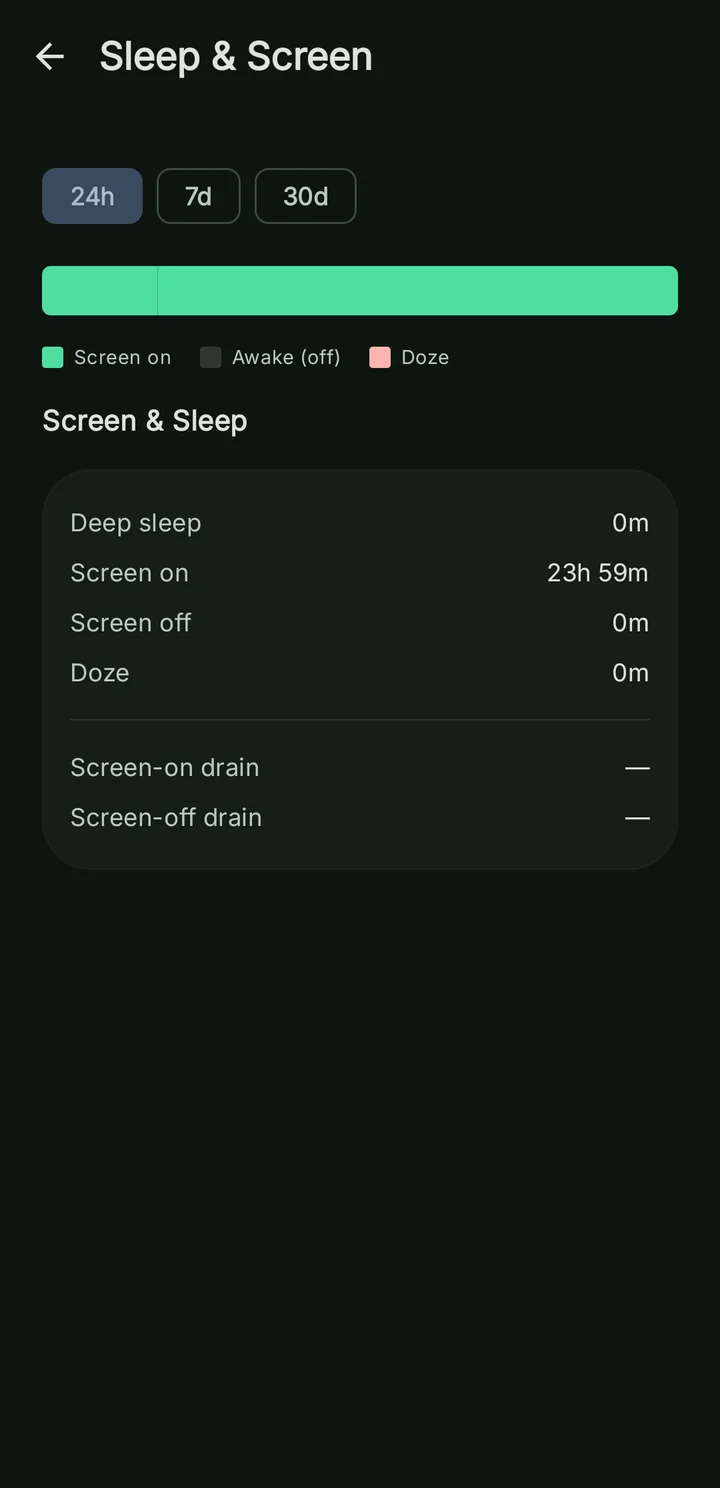
See how much time your phone spends with its screen on, awake in the background, or in deep sleep. Give overnight drain some context.
Persistent monitoring improves continuity. Historical screen and per-app insights need Usage Access.
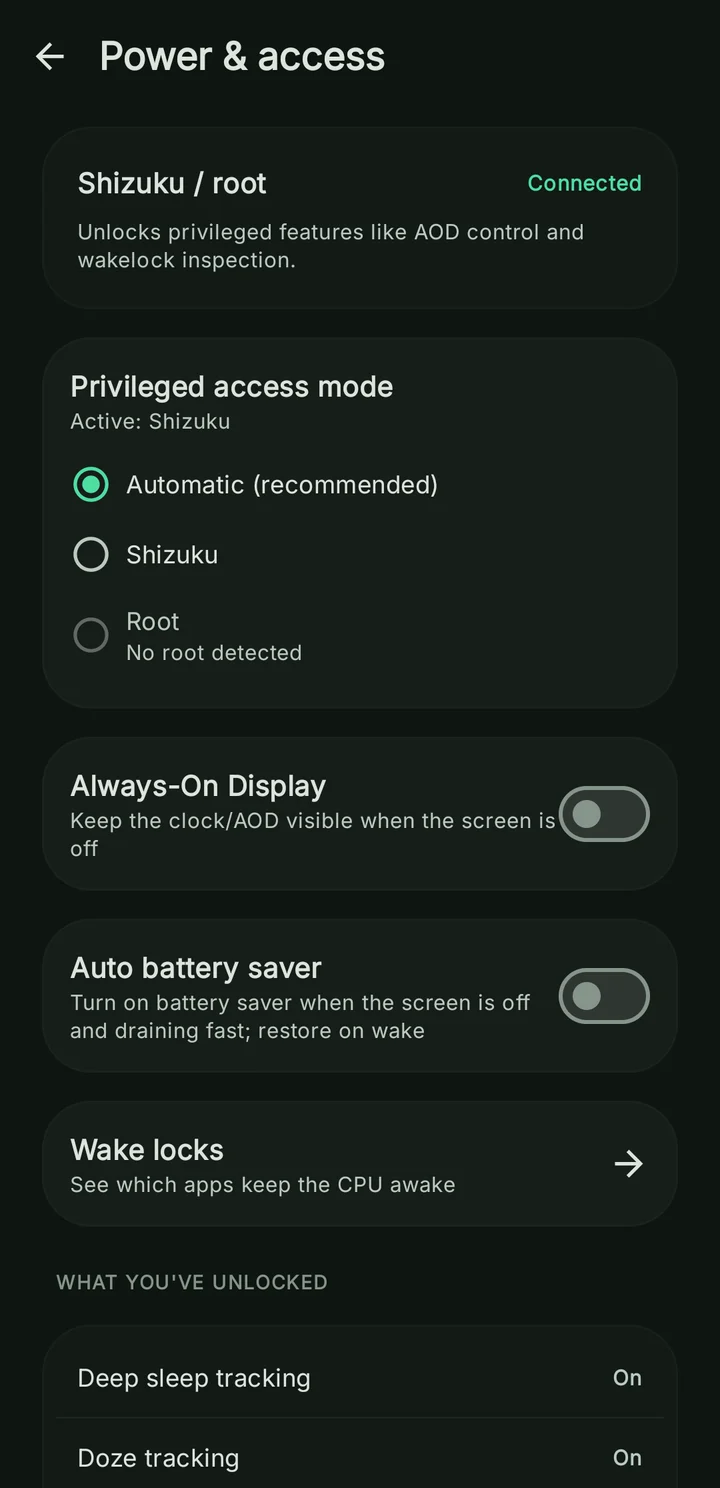
Connect Shizuku or root to access automatic battery saver, Always-On Display controls and wake-lock tools. You choose the access you grant.
Device support varies. Hardware charge limits require root and compatible charging controls.
TAKE A LOOK AROUND
Explore all eight screens. Swipe or use the arrows, then select a screen for a closer look.
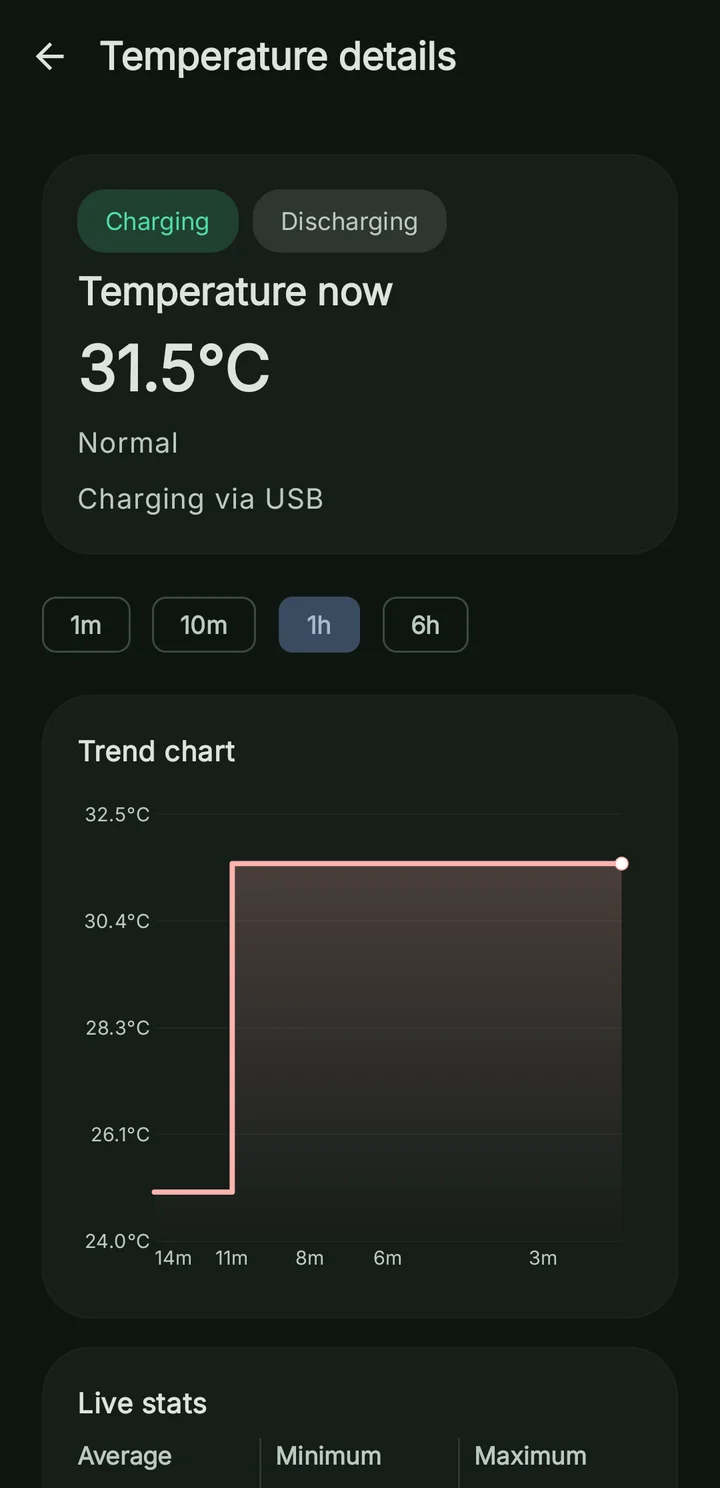
Live temperature and trends. Advanced statistics need Premium or a temporary ad unlock.
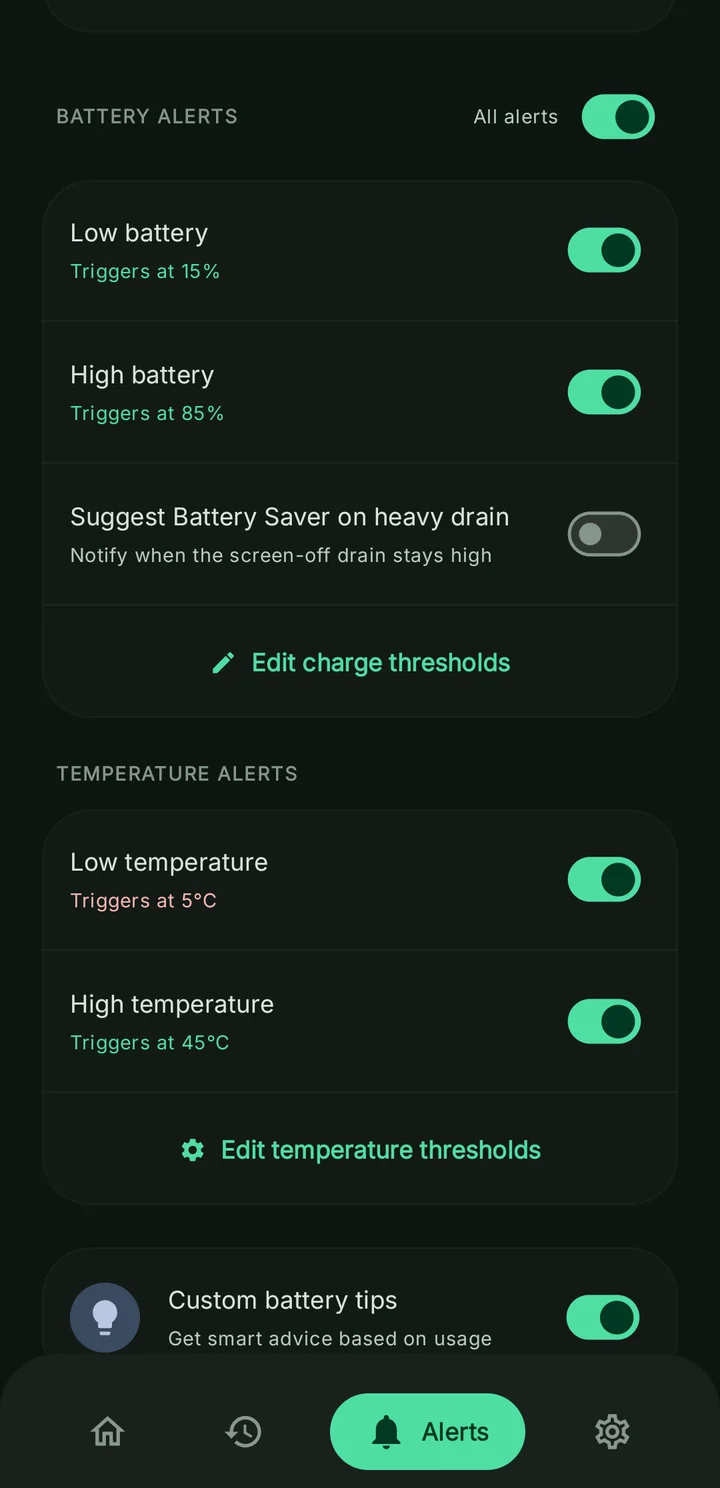
Charge-level and temperature alerts. Premium or a temporary ad unlock required.
Optional Shizuku or root power tools. Device support varies.
Screen time, awake time and deep sleep. Historical insights need Usage Access.
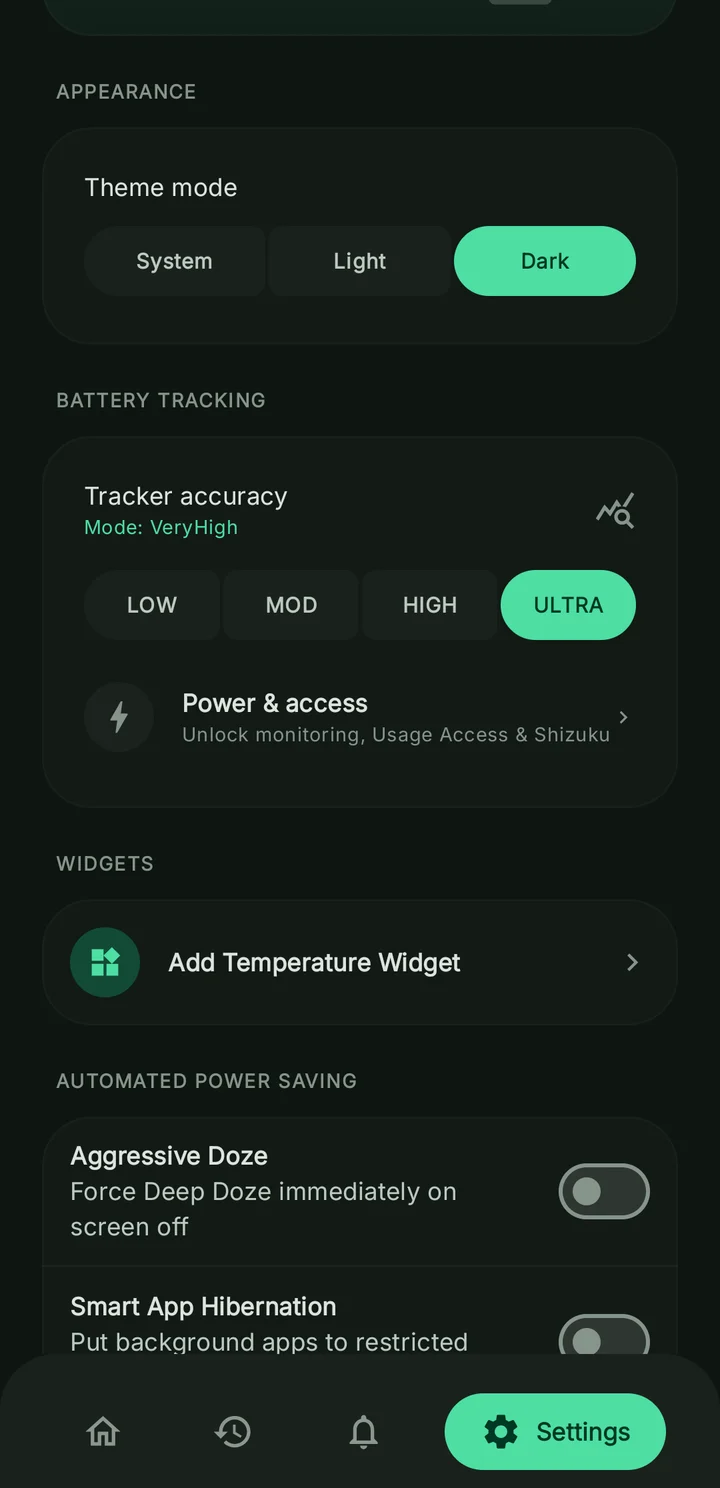
Choose your theme, tracking level and supported power controls.
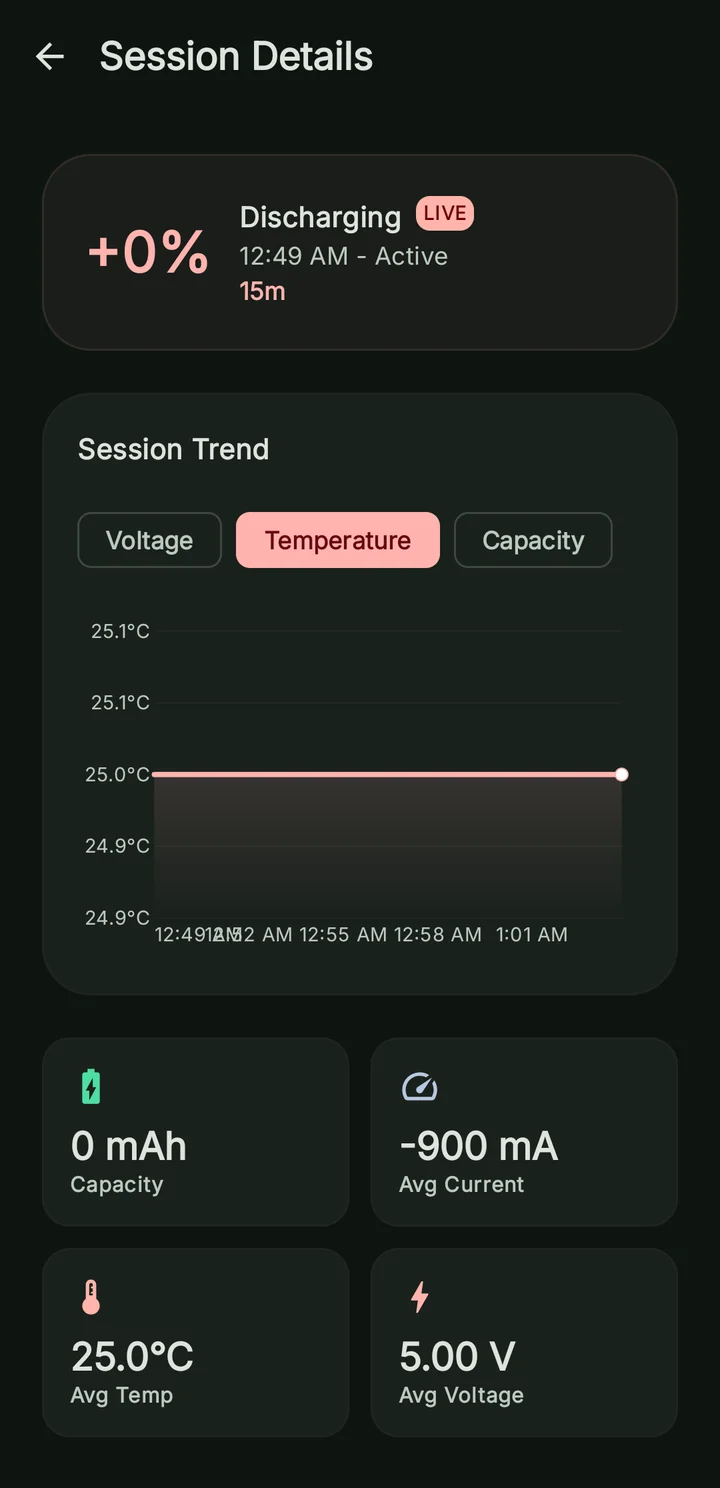
Explore session trends and average readings in one place.
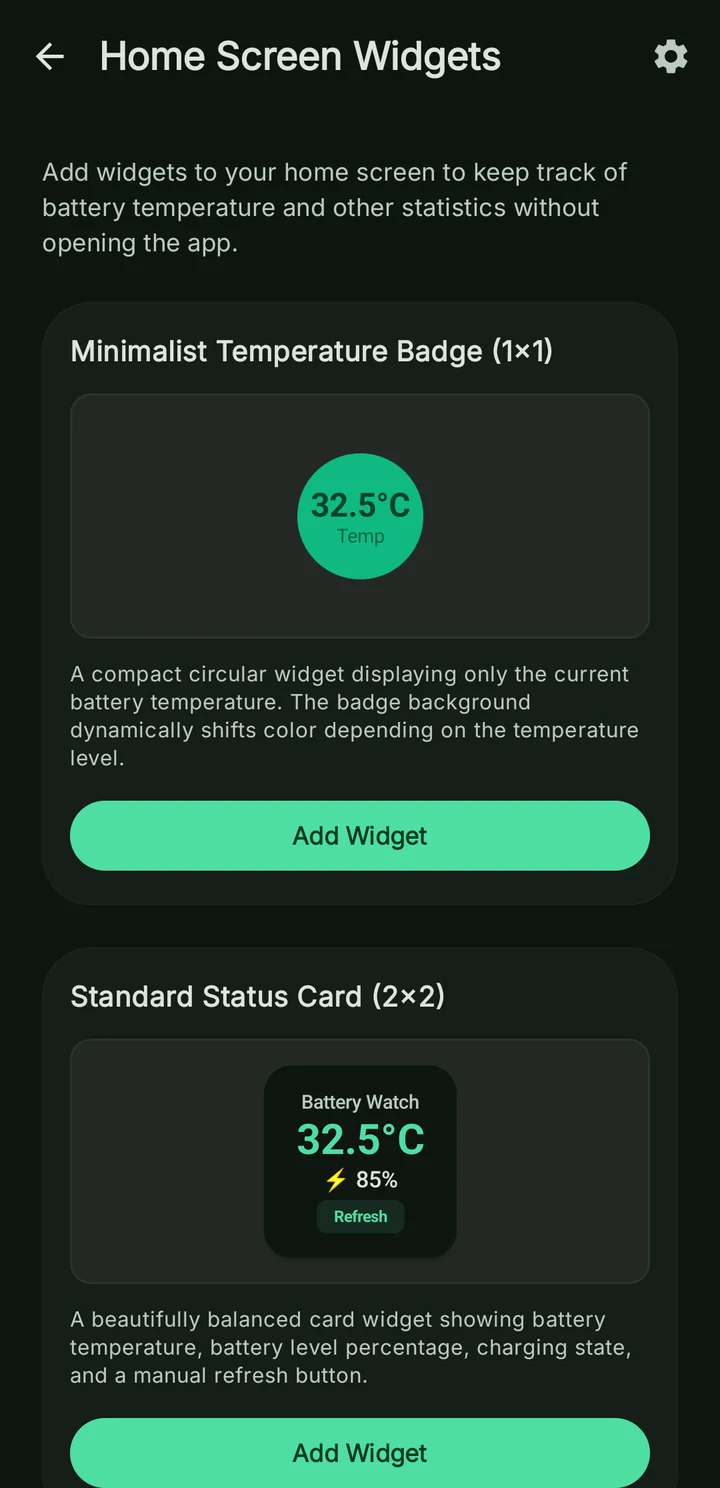
A free temperature badge, with more widget layouts in Premium.
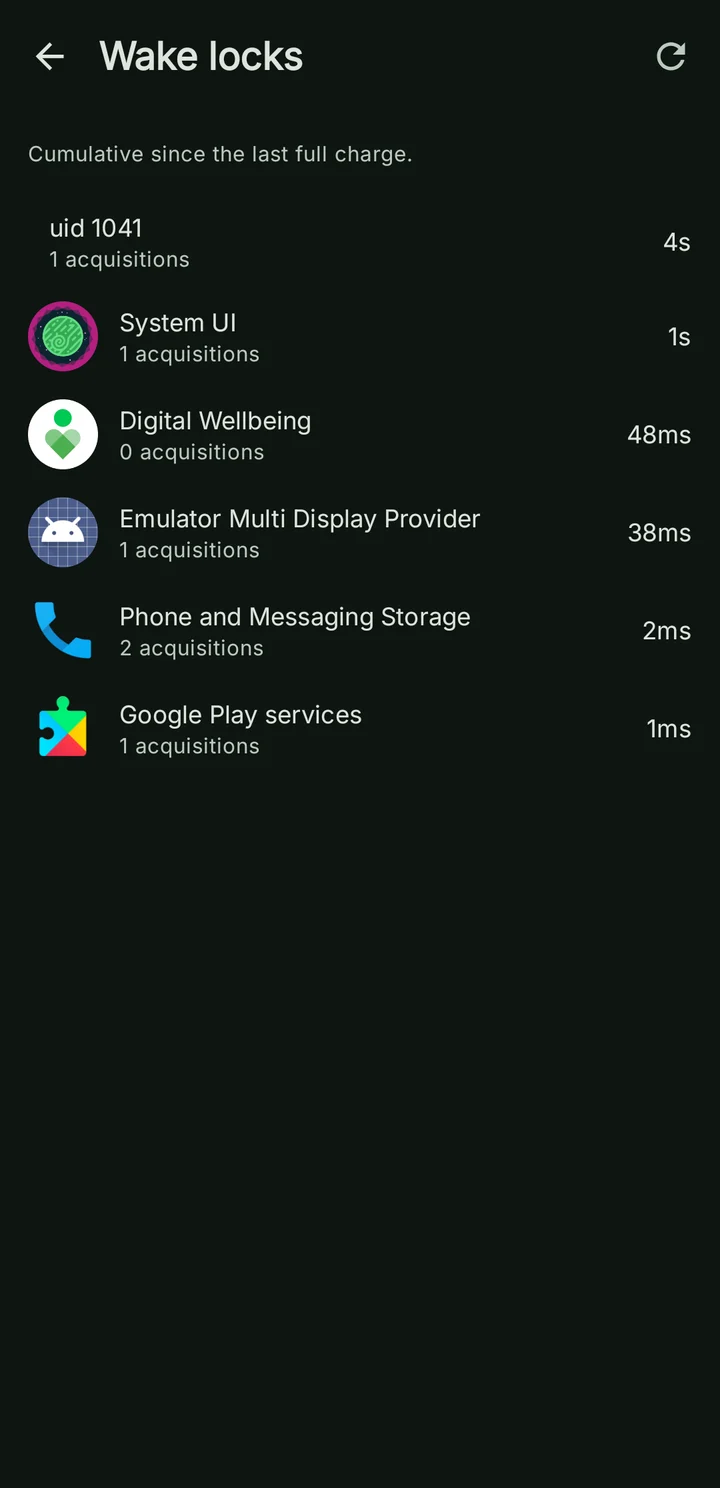
Inspect wake-lock activity with Shizuku or root on supported devices.
Actual app interface · Sample emulator data · Feature access varies by device and permissions.
SMALL HABITS. BETTER AWARENESS.
Set charge-level and temperature alerts that fit your routine. Keep useful battery information close with home-screen widgets.
Custom alerts and premium widgets require the relevant unlock. Notifications must be enabled. Alerts are reminders; they do not stop charging.
Choose high and low battery thresholds, then let a notification do the remembering.
Watch temperature trends and set alerts for the thresholds you choose.
START SIMPLE. GO DEEPER.
Start with the essentials. Add access when you want more insight or more control. Battery Watch shows what your setup supports.
Live readings, battery temperature and charge-session tracking. A useful view without root.
No root requiredAllow Usage Access for per-app usage and historical screen insights. Enable persistent monitoring for continuity.
Optional permissionsUse Shizuku or root for supported power-saving and wake-lock controls. Hardware charge limits need compatible root access.
Shizuku or rootFeature access and device permissions are separate. Some features also require Premium or a rewarded-ad unlock.
FIELD NOTES
Practical explanations for the questions behind the numbers.
Make sense of mA, volts and watts, and compare charging sessions.
Read the field noteUnderstand screen-off activity, deep sleep and wake locks.
Read the field noteSee what Shizuku unlocks, and which features still need root.
Read the field noteDevice counts, older Android versions and the session deltas behind our estimates.
Read the field noteThe capacity calculation, saved readings and why the estimate changes over time.
Read the field noteBattery Watch is a battery monitoring and power management app for Android 9 and newer. It shows live current, voltage, power and temperature, records charging and discharging sessions, and helps you understand screen-on use and sleep. Optional Shizuku or root access enables additional power controls.
No. Live battery readings and session tracking work without root. Per-app usage and historical screen insights require Usage Access. Controls such as automatic battery saver, Always-On Display and wake-lock management require Shizuku or root. Hardware charging limits require root and compatible device hardware.
Battery Watch helps you understand drain and adjust how your phone uses power. With Shizuku or root, it can enable battery saver when screen-off drain meets your configured conditions and restore the prior state on wake. Results depend on your device, apps and settings; it does not promise a fixed battery-life increase.
Charging readings come from Android battery sensors. Reported power is calculated from battery current and voltage, so it is not a measurement of power at the wall charger. Capacity and health figures are estimates based on the data your device exposes. Some phones do not report every metric or a cycle count.
Battery Watch prefers a device-reported cycle count. When unavailable, the Cycles details screen can estimate recorded use from completed discharge sessions. Health is estimated from remaining charge, charge level and a capacity reference; valid readings are saved locally in Room and averaged over the retained history. Both depend on the data your device supplies.
You can configure a charge-level alert as a reminder. An alert does not stop charging. Enforcing a hardware charge limit requires root and a supported charging-control interface; Shizuku alone is not enough.
The app is free to download and contains ads and in-app purchases. Premium unlocks additional features, including custom alerts and advanced statistics. Eligible features can also be unlocked temporarily by watching a rewarded ad. Availability and pricing are shown in the app.
Persistent monitoring helps maintain screen and sleep records when you leave the app and uses a foreground notification. You can choose a lighter tracking mode in Settings. Android background restrictions and manufacturer power management can affect record completeness.
GET TO KNOW YOUR BATTERY
Battery monitoring & power controls for Android.
Free download · Contains ads & in-app purchases