Open Home in Battery Watch and tap Temperature. The reading is the battery temperature reported by your phone. Compare it over the course of a charge, alongside the charging state, battery level and what the phone was doing.
Read the measurement in context
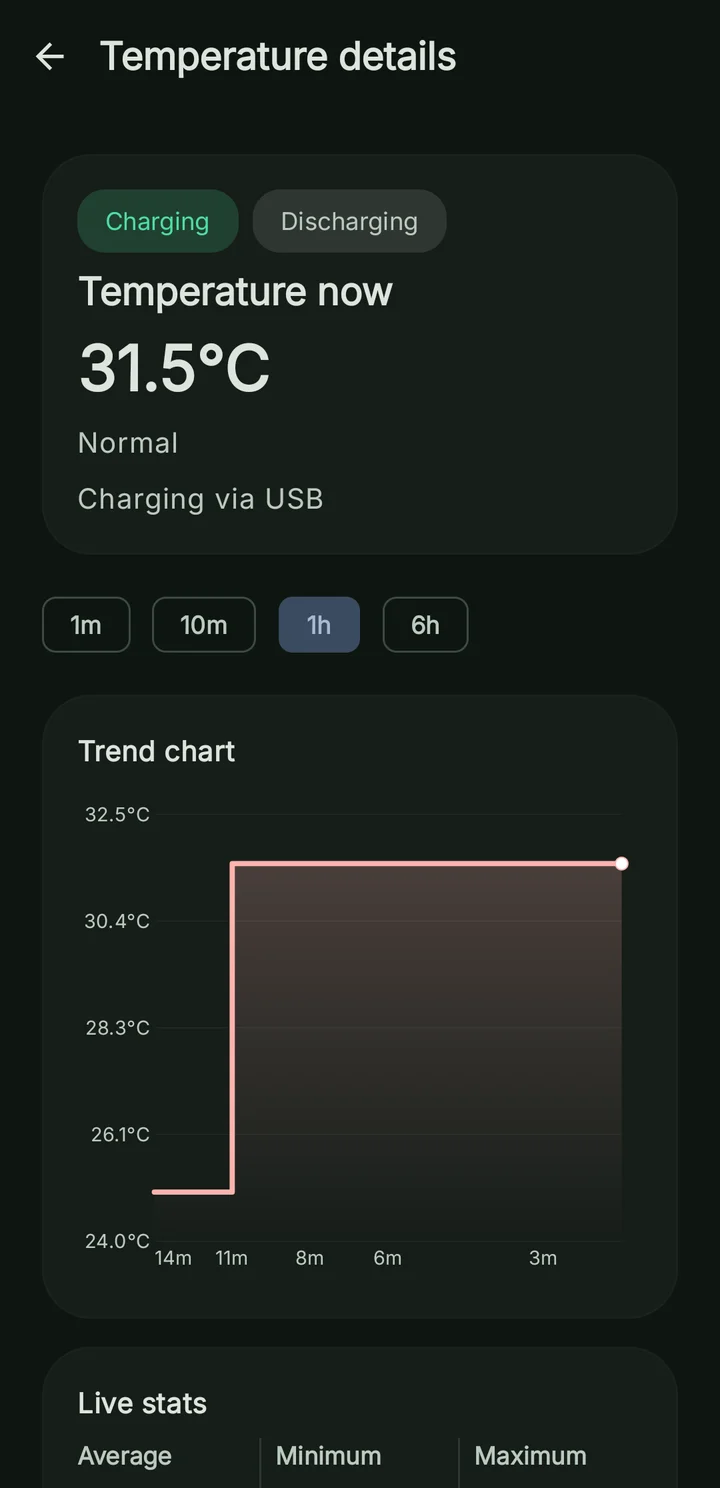
In this example the app shows 29.4°C and a recent trend. The temperature was varied on an Android emulator to demonstrate the chart. On your own phone, review several sessions under similar conditions. The battery sensor measures a different location from the adapter or the phone’s outer surface.
Which sessions count in History?
The charging-temperature review looks at completed charging sessions that ended within the past 30 days. Each session needs at least ten minutes of charging, two valid temperature readings and temperature coverage for at least 80% of its duration. Interrupted sessions are excluded.
History displays the summary once at least three sessions qualify. It counts sessions with an average temperature of 35°C or higher. That threshold is a review marker for comparing your recorded sessions. Your phone manufacturer provides the operating limits for your device.
Set a temperature reminder
In Alerts, allow notifications and turn on a high or low temperature reminder. The switches are free. Adjusting the thresholds requires Pro or an eligible video pass. Persistent monitoring helps the app receive new readings while in the background. Android or manufacturer restrictions can delay delivery.
Android supplies the battery temperature through its BatteryManager temperature field. Learn how to compare the corresponding charging watts on your phone.